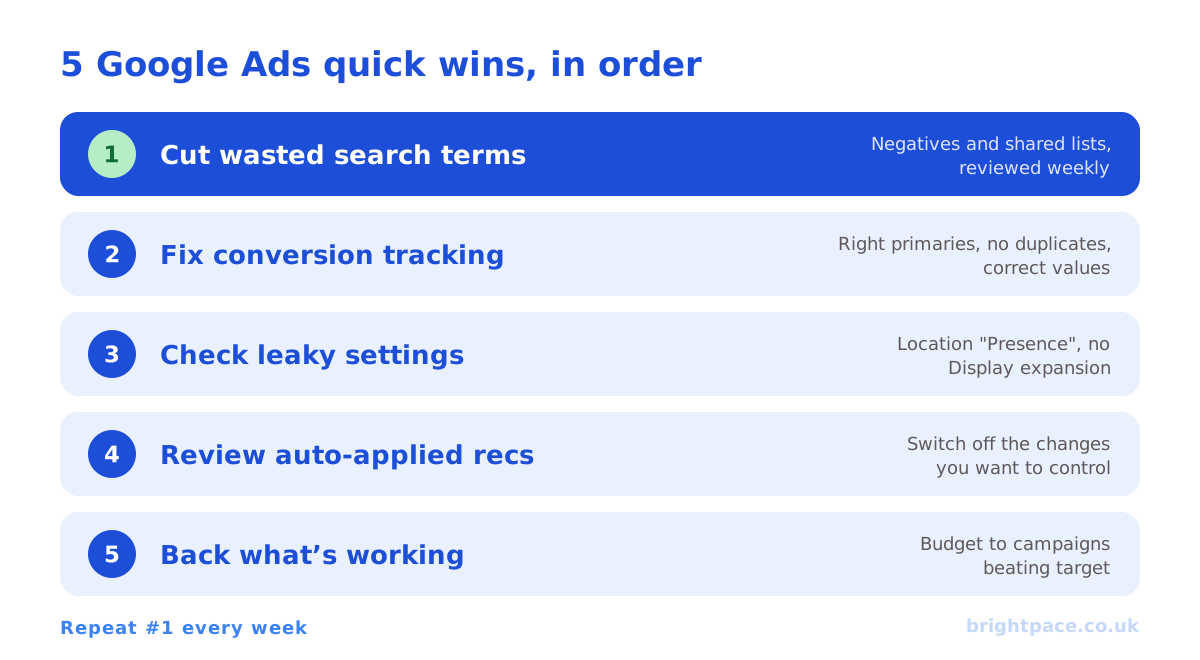
The fastest Google Ads improvements rarely come from a clever new strategy. They come from fixing the handful of settings and habits that quietly waste budget in almost every account. These five quick wins take minutes to hours, not weeks, and because they stop money leaking, the benefit shows up quickly.
Work through them in order. Each one makes the next more effective.
1. Cut wasted spend from search terms
Your keywords decide which searches you could appear for; the search terms report shows which searches you actually paid for. With broad match and automation doing more of the matching, that gap can be wide.
- Open the search terms report for the last 30–90 days, sorted by cost.
- Find the irrelevant spend: searches for jobs, free versions, competitors you don’t want, locations you don’t serve, or products you don’t sell.
- Add them as negative keywords, ideally in shared negative keyword lists so they apply across campaigns. Our negative keyword tool formats them and has starter lists for common wasted-spend themes.
- Check Performance Max and AI Max too: use search term insights and account-level negative keywords or brand exclusions where appropriate.
Then make it a weekly habit. New irrelevant searches appear all the time, and this is the single most reliable way to stop paying for clicks that were never going to convert.
2. Make sure conversion tracking is telling the truth
Smart Bidding optimises toward whatever you tell it a conversion is. If tracking is wrong, every automated decision is wrong with it: confidently.
- Check your primary conversions. Only actions you genuinely want more of, purchases, qualified leads, should be primary. Page views, scrolls and micro-actions belong as secondary.
- Look for duplicates. Two tags firing for the same purchase, or GA4 and Google Ads both counting it as primary, will double your reported results.
- Check values. For eCommerce, make sure purchase values are passing correctly. For lead generation, consider values that reflect lead quality.
- Turn on enhanced conversions and check Consent Mode is set up, so you recover conversions lost to browser restrictions and consent choices.
This is always the first thing we check in a Google Ads audit: every other decision rests on it. If you import leads from Google Analytics, our guide to setting up GA4 key events covers the setup and testing step by step.
3. Check the settings that quietly leak budget
A few campaign settings default to options that suit Google’s reach more than your results. Check each Search campaign:
- Location targeting. The default option targets people in, regularly in, or who’ve shown interest in your locations. If you only serve people who are actually there, switch to Presence so you’re not paying for people elsewhere who’ve simply searched about your area. Exclude places you can’t serve.
- Networks. Search campaigns can include the Display Network and Search partners. Display expansion in a Search campaign often brings lower-intent traffic: turn it off unless you’ve tested it and it pays. Review Search partners separately using the segment data.
- Ad schedule and devices. Check performance by hour, day and device. If you only take calls during office hours, don’t run call-focused ads when no one can answer.
None of these is a big strategic change, but together they can stop a surprising amount of spend going to the wrong people.
4. Review auto-applied recommendations
Google Ads can apply some recommendations automatically, including adding keywords, broadening match types, changing bid strategies and adjusting budgets. Some are useful; others quietly change your account in ways you didn’t choose.
- Go to Recommendations and open the auto-apply settings.
- Switch off anything you want to control yourself: particularly recommendations that add keywords, broaden match types or raise budgets.
- Check the change history to see what’s already been applied, and undo anything that doesn’t fit your strategy.
Recommendations are worth reading: some are genuinely good ideas. The quick win is making sure you decide which ones go live.
5. Put budget behind what’s working
Most accounts spread budget by habit rather than by results. A quick look at profitability usually shows money that could work harder somewhere else.
- Rank campaigns by your real target, such as cost per acquisition or ROAS against your break-even, not by clicks or click-through rate. Our ROAS and CPA calculators help set those targets.
- Find profitable campaigns that are “Limited by budget” and give them more room.
- Trim or restructure campaigns that consistently miss target after they’ve had enough time and data to learn.
- Separate brand from non-brand if they’re combined. Cheap brand conversions can hide weak non-brand performance and pull budget in the wrong direction.
Make changes in measured steps rather than big swings, so automated bidding can adjust: the thinking behind structuring campaigns for automation.
Honourable mentions
If you’ve done the five above, these are next on the list:
- Ad assets: add or refresh sitelinks, callouts, structured snippets and images so your ads are more useful and take up more space.
- Landing page match: make sure each ad leads to the most relevant page, and that it loads quickly on mobile.
- First-party audiences: add customer lists and website visitors, at least in observation, to give bidding more signal. See our guide to first-party data.
Quick wins checklist
- Search terms reviewed and negatives added
- Primary conversions correct, deduplicated and valued
- Enhanced conversions and Consent Mode in place
- Location set to Presence where appropriate
- Display expansion off in Search campaigns unless proven
- Auto-applied recommendations switched off for anything you want to control
- Budget moved toward campaigns beating target
- Brand and non-brand separated
FAQs
Should I use broad match in Google Ads?
Broad match works best when it’s paired with Smart Bidding, accurate conversion tracking and a regularly updated negative keyword list. If your tracking is unreliable or your budget is small, phrase and exact match keep spend tighter while you build data.
How quickly will these fixes improve results?
Cutting wasted search terms and fixing leaky settings takes effect straight away. Tracking fixes take longer to show, because Smart Bidding needs a few weeks of cleaner data to relearn, so judge them over weeks, not days.
Do quick wins replace a full Google Ads audit?
No. They fix the most common leaks, but an audit also looks at account structure, bidding against your margins, feeds, creative and how much of your reported performance is genuinely incremental. Our Google Ads audit checklist covers the full list.
What should I look at first if my Google Ads costs suddenly rise?
Check the search terms report for new irrelevant searches, then the change history for auto-applied recommendations or budget changes, then conversion tracking. Most sudden jumps trace back to one of those three.
In short
The quickest Google Ads wins come from stopping waste, not adding complexity: cut irrelevant search terms, make sure tracking tells the truth, fix the settings that leak budget, take back control of auto-applied recommendations, and move budget to what’s working. Do them in that order, repeat the first one weekly, and you’ll have a cleaner, more profitable account to build on.
Sources
The platform documentation and coverage this guide is checked against. Last checked October 2026.
- About the search terms report, Google Ads Help
- About negative keywords, Google Ads Help
- About keyword matching options, Google Ads Help
- About applying recommendations automatically, Google Ads Help
- About conversion measurement, Google Ads Help
Want a second pair of eyes? Our PPC management, including Google Ads for small businesses, starts with exactly these fixes, or let’s chat about your account. For a full review, see our paid audit.
Want a senior eye on your paid search?
Work directly with the founder: no juniors, no hand-offs, 30-day rolling contracts.